UI vs UX Patterns: The Complete Guide to Understanding the Difference
“UI patterns” and “UX patterns” are two of the most commonly confused terms in product design. Both are essential for building great digital products, but they solve fundamentally different problems. This guide breaks down the difference with real-world examples.
1. What Are Design Patterns?
In software and design, a pattern is a reusable solution to a commonly recurring problem. Just like developers use code patterns (like MVC or Singleton), designers use UI patterns and UX patterns to solve interface and experience challenges.
Patterns exist because users have built expectations from using thousands of apps. When you follow established patterns, users already know how things work — reducing friction and increasing satisfaction.
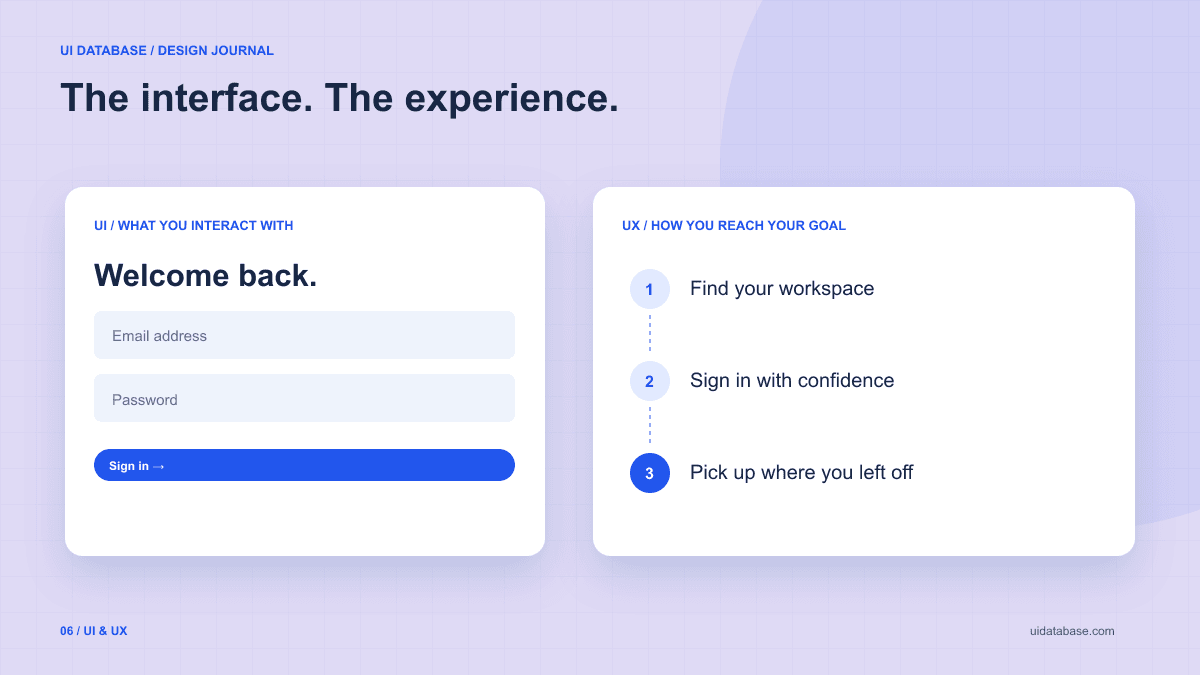
Key insight: UI patterns solve visual and interaction problems. UX patterns solve workflow and behavior problems. Both are essential, but they operate at different levels.
2. What Are UI Patterns?
UI patterns (User Interface patterns) are reusable solutions for the visual and interactive elements of an interface. They define how specific components look, behave, and respond to user input.
UI patterns focus on the concrete, tangible elements users directly see and interact with:
- How a navigation bar collapses on mobile
- How a data table handles sorting, filtering, and pagination
- How a modal animates in and traps keyboard focus
- How a form validates inputs and shows error messages
- How a card layout adapts across screen sizes
Think of UI patterns as the “building blocks” of your interface.
They answer: “What does this component look like and how does it behave?”
3. What Are UX Patterns?
UX patterns (User Experience patterns) are reusable solutions for the flow, behavior, and strategy of a user journey. They define how users move through a product to accomplish their goals.
UX patterns focus on the abstract, structural aspects of the experience:
- How an onboarding flow introduces new users to key features
- How a checkout process minimizes cart abandonment
- How progressive disclosure reveals complexity gradually
- How error recovery helps users fix mistakes without starting over
- How social proof builds trust at decision points
Think of UX patterns as the “blueprints” of your product experience.
They answer: “How does the user get from point A to point B with minimum friction?”
4. UI Patterns vs UX Patterns — Side by Side
| Dimension | UI Patterns | UX Patterns |
|---|---|---|
| Level | Component-level | System / journey-level |
| Focus | Visual & interactive | Behavioral & strategic |
| Examples | Modals, tabs, cards, nav bars | Onboarding flows, checkout, search |
| Question | "How should this look & feel?" | "How should the user flow work?" |
| Tools | Figma, component libraries | User research, journey mapping |
| Measured by | Clarity, consistency, aesthetics | Task completion, user satisfaction |
| Who owns it | UI designers, front-end devs | UX designers, product managers |
5. Real-World Examples
Let's look at three common product areas and identify both UI and UX patterns in each:
SaaS Dashboard
UI Patterns Used
- • Collapsible sidebar navigation
- • KPI metric cards with sparklines
- • Data table with column sorting
- • Date range picker controls
- • Status badges (Active, Pending, Failed)
UX Patterns Used
- • Dashboard-first navigation (most used data visible immediately)
- • Progressive disclosure (summary → detail drill-down)
- • Contextual help tooltips for complex metrics
- • Empty states with guided actions
- • Notification center for async updates
E-commerce Checkout
UI Patterns Used
- • Multi-step form with progress indicator
- • Inline form validation with error messages
- • Order summary card (sticky on desktop)
- • Payment method selector (card, PayPal, Apple Pay)
- • Trust badges and security icons
UX Patterns Used
- • Guest checkout option (reduce friction)
- • Address auto-complete
- • Cart persistence across sessions
- • Abandoned cart email recovery
- • Social proof at decision points (“2,500 orders this week”)
Mobile App Onboarding
UI Patterns Used
- • Carousel / swipeable intro slides
- • Pagination dots indicator
- • Social login buttons (Google, Apple)
- • Floating action button (FAB)
- • Bottom sheet for permissions requests
UX Patterns Used
- • Value-first onboarding (show benefit before asking for signup)
- • Progressive profiling (ask for info gradually)
- • Skip option for non-essential steps
- • Delayed permission requests (ask when relevant)
- • Achievement-based activation (“Complete your first task”)
6. Where UI and UX Patterns Overlap
In practice, UI and UX patterns are deeply interconnected. A great UX pattern often requires specific UI patterns to work, and vice versa. Here are areas where they overlap:
Error Handling
UX pattern: Prevent errors before they happen (validation, confirmation dialogs). UI pattern: Show clear error messages with inline styling (red borders, icons, helper text).
Loading States
UX pattern: Keep users informed during async operations. UI pattern: Skeleton loaders, progress bars, optimistic updates.
Navigation
UX pattern: Organize information architecture logically. UI pattern: Tabs, breadcrumbs, sidebar menus, bottom navigation bars.
Feedback & Confirmation
UX pattern: Confirm destructive actions, acknowledge completions. UI pattern: Toast notifications, success modals, undo buttons.
7. 20 Essential UI Patterns Every Developer Should Know
8. 15 Essential UX Patterns for Better Products
9. How to Use UI and UX Patterns Together
The best products use UI and UX patterns in harmony. Here's a practical framework:
- Start with UX patterns — Map out the user journey, identify pain points, and choose UX patterns that solve behavioral problems (onboarding, error recovery, progressive disclosure).
- Then apply UI patterns — For each step in the journey, select the right UI patterns (components, layouts, interaction styles) that bring the UX to life.
- Test both layers — Usability testing validates your UX patterns. Visual QA and accessibility testing validate your UI patterns.
- Iterate independently — You can improve UI patterns (redesign a button, fix a table) without changing the UX flow. And vice versa.
💡 Pro tip for developers:
When you look at a design and think “I don't know where to start,” break it down: identify the UX pattern first (what flow is happening?), then identify the UI patterns (what components are needed?). This makes any design implementable.
10. Finding the Right UI Patterns with a UI Library
Manually discovering and implementing the right UI patterns for every project is time-consuming. This is where a UI library becomes invaluable.
UIDatabase is a curated UI library that organizes hundreds of UI patterns by category — SaaS dashboards, landing pages, authentication flows, settings panels, and more. Each pattern comes with:
- Visual design inspiration — See exactly how the pattern looks in production
- Copy-paste AI prompts — Recreate the design instantly with ChatGPT, Cursor, or v0
- UX context — Understand the intended user behavior, error states, and loading states
- Category organization — Find the right pattern for SaaS UI, mobile UI, e-commerce, and more
Instead of spending hours researching design patterns, browse the UI library, find a pattern that matches your use case, and ship faster.
Browse UI Patterns in the UIDatabase Library
Hundreds of curated UI patterns organized by category. Each with design inspiration and production-ready AI prompts.
Browse the UI Library